
Guide to Integrating the Minigame with the Publicity Department Real-name Verification System
In accordance with the Publicity Department's requirements for the unified use of the real-name verification interface, network game enterprises that enable virtual payment must go to the Publicity Department real-name verification system on their own to complete enterprise registration, adding the game, channel binding, and other operations, and synchronize the information to the platform. If virtual payment is not enabled, the platform has already assisted in the unified integration with the Publicity Department real-name system, and no developer action is required.
1. Processing Time
1 working day
2. Specific Steps
Step 1: Go to the Publicity Department real-name verification system to complete enterprise registration, adding the game, channel binding, and other operations
(Note: On mobile, please copy the link https://wlc.nppa.gov.cn/fcm_company/index.html into a browser to open it. If it cannot be opened, please try a different browser.)
① Enterprise registration: Please first go to the Publicity Department real-name verification system to complete enterprise registration.
② Add game: Game Integration -> Add Game to enter the add game page, fill in and submit the game name, approval number, ISBN, and other relevant information, and wait for the publication administration's review.
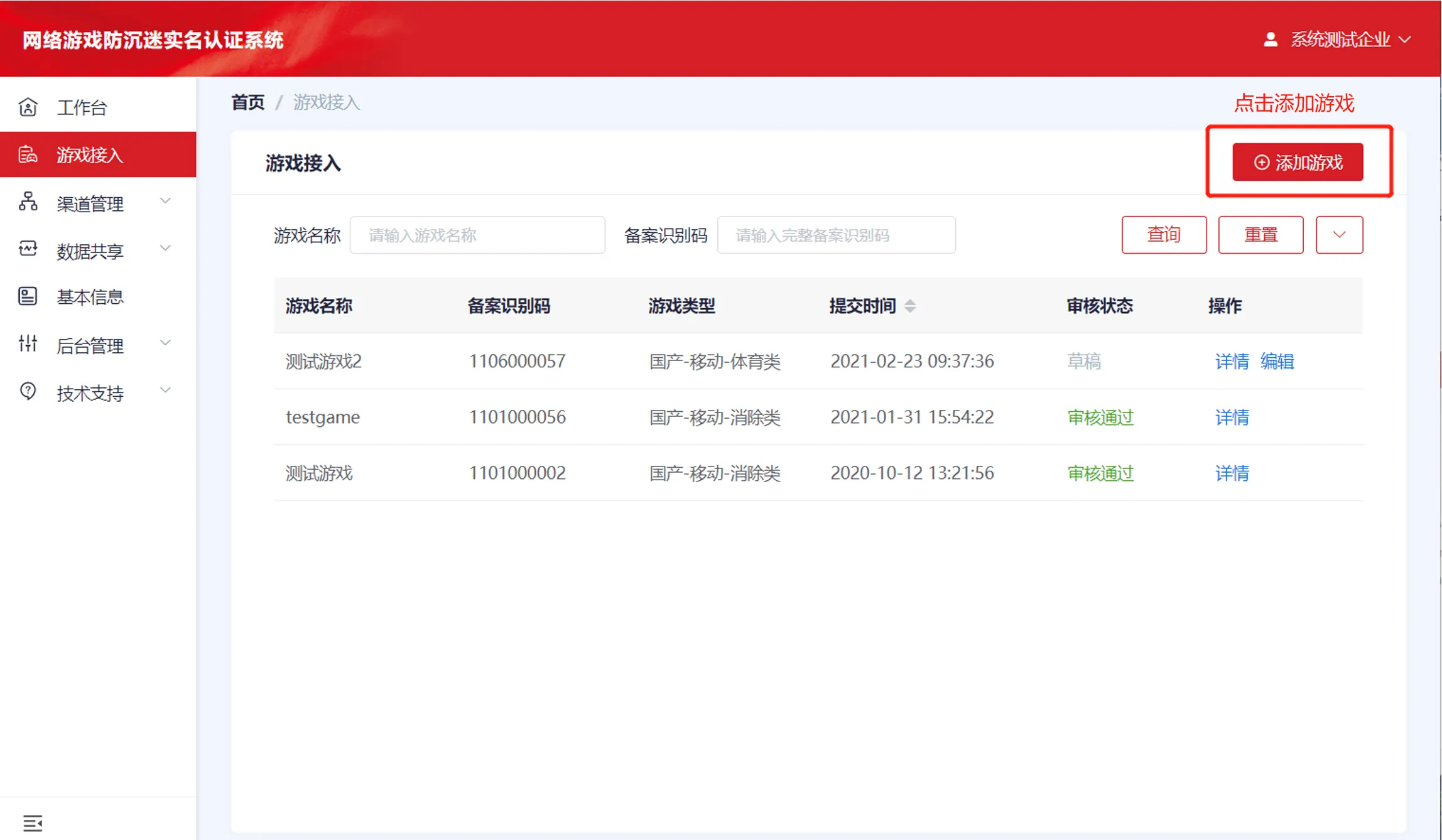
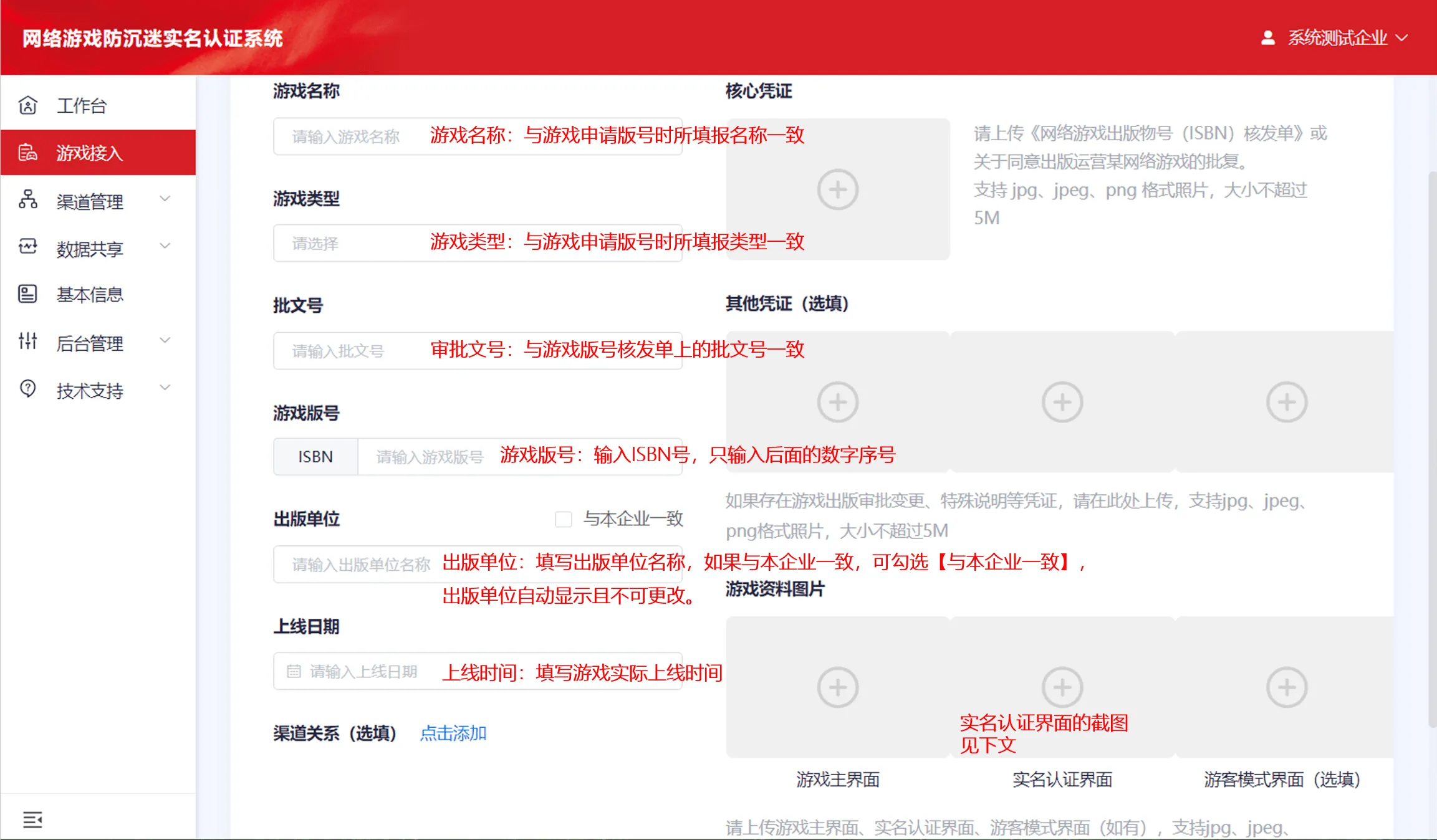
③ Channel binding: All SUD minigames with virtual payment enabled must add a [Channel Relationship]. Click Add to enter the bind channel relationship page, enter [91440300MAK74FBA4R], select [忽然游戏(深圳)有限公司] as the channel provider, check the "Real-name Verification" and "Data Reporting" permissions, and after clicking Confirm to submit, proceed to Step 2 (this step does not require waiting for the channel to complete confirmation; just proceed to Step 2 directly, and after the review passes the platform will confirm it in a unified manner). 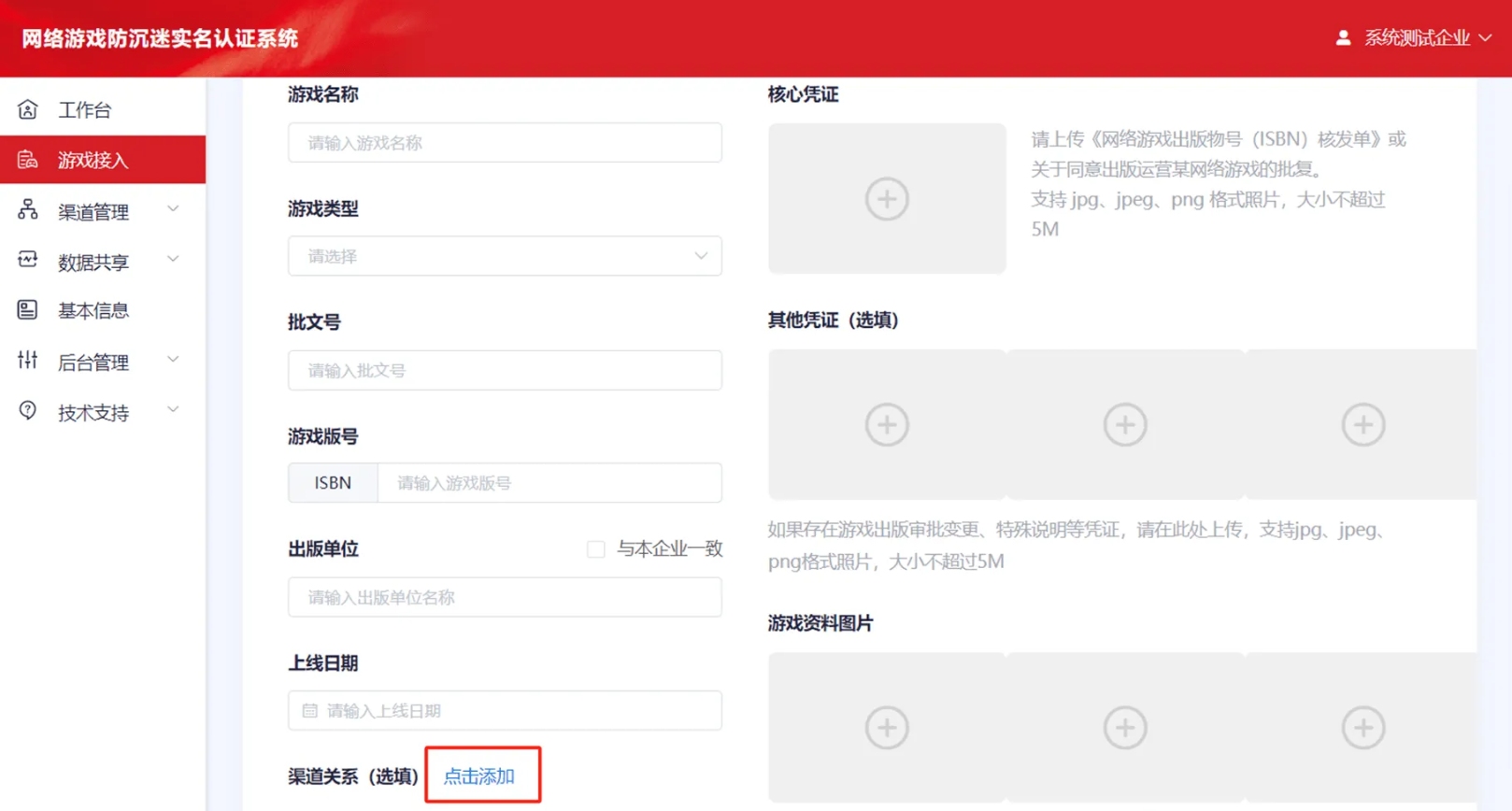
Step 2: Synchronize the game information to the platform
① After the developer associates the channel relationship, go to [OpenPaaS Platform → Settings → Game Settings → Publicity Department Real-name Verification System Integration] to synchronize the following information to the platform for confirmation: game name, game version number, and filing identification code.
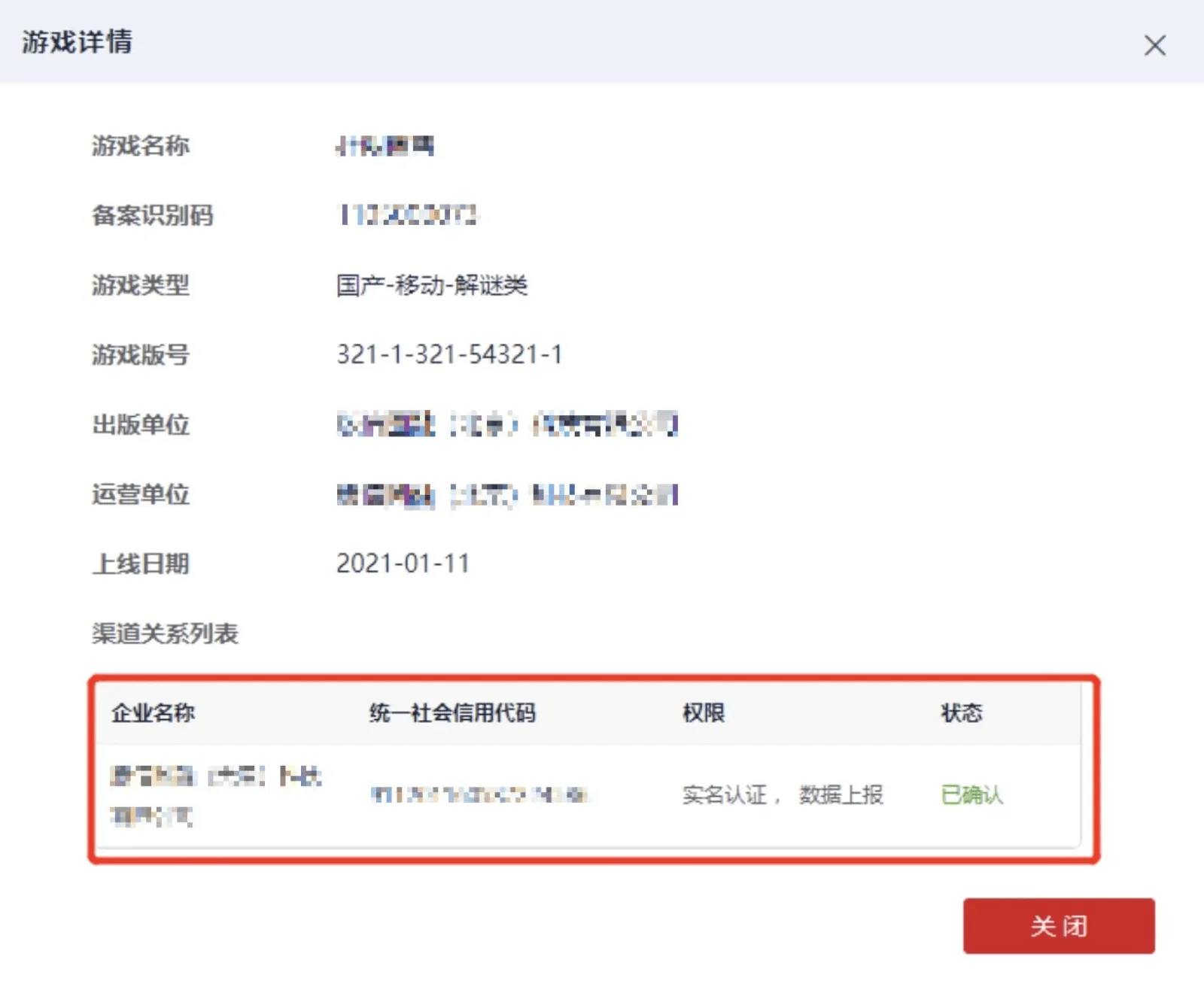
The information fields that need to be synchronized can be viewed at [Publicity Department Real-name Verification System - Channel Management - My Games - Details].
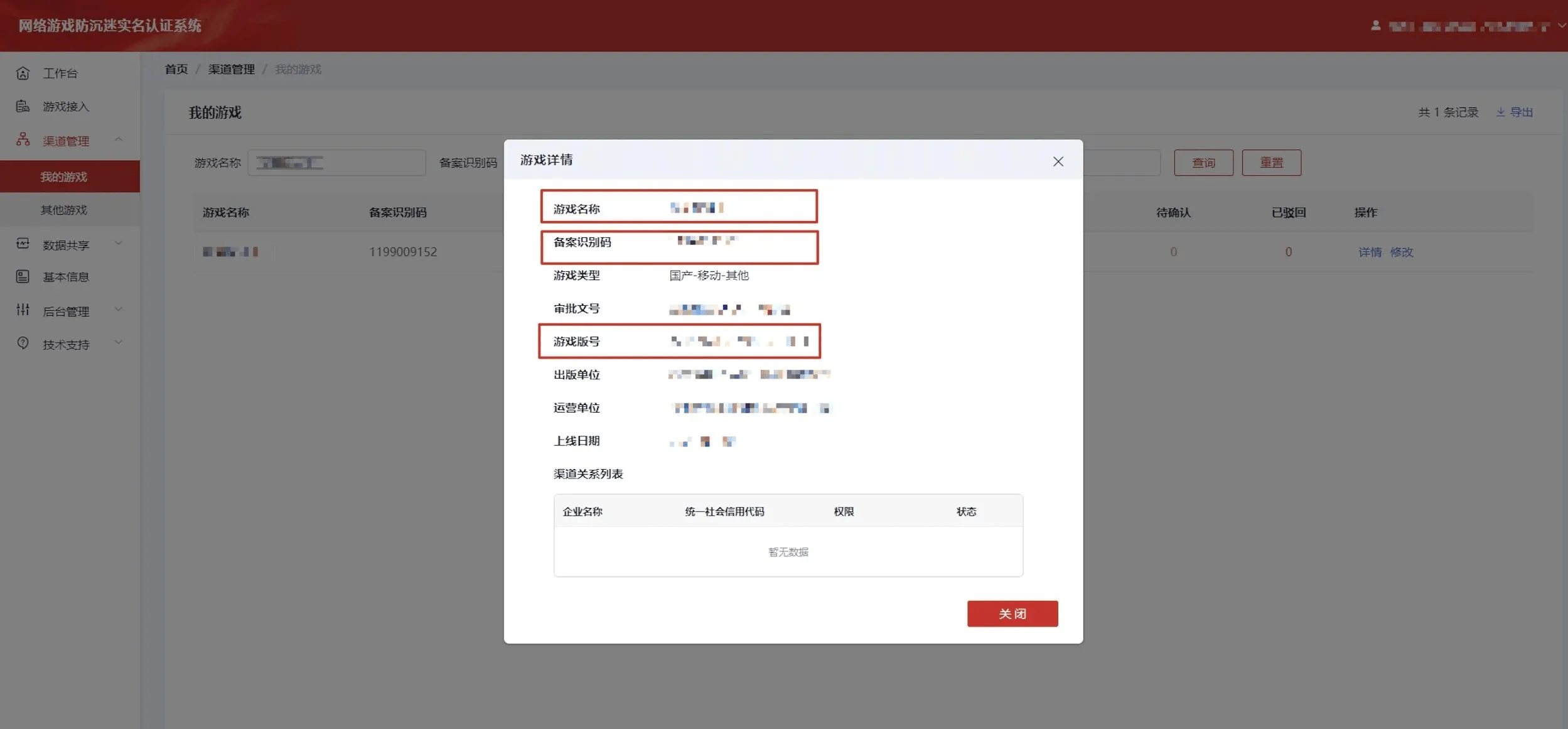
Game name: must be consistent with the game name in the Publicity Department real-name system
Game version number: must be consistent with the game version number in the Publicity Department real-name verification system, a version number starting with ISBN
Filing identification code (bizid): the filing identification code assigned in the real-name verification system, which is automatically generated after adding the game and can be viewed in Channel Management - My Games, for example: 12330***70
② Wait for platform confirmation: After the platform side confirms that the submitted game information is correct, it will perform the relevant configuration. Developers do not need to complete the relevant interface development and configuration work. Once the platform completes the configuration, the integration with the real-name verification system is complete. The specific progress and details can be viewed in the real-name verification system, as shown below.
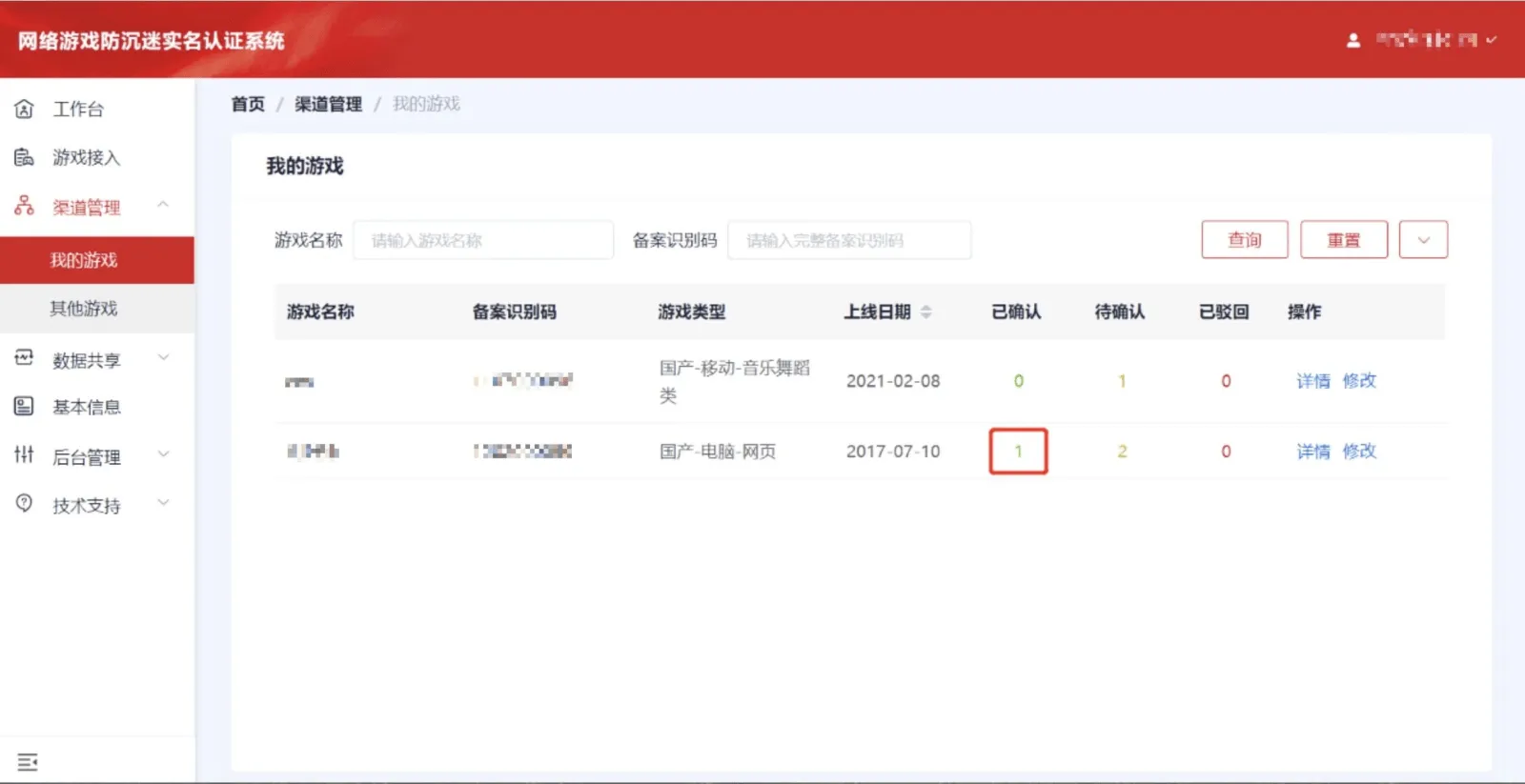
If the status is [Confirmed], the channel association is complete. Click to view the detailed information, and the result is shown below.
Note:
① After completing the channel binding application, be sure to synchronize the game information to the platform; otherwise, the real-name integration of this game on the OpenPaaS minigame platform cannot be completed;
② The relevant information synchronized to the platform (game name, game version number, filing identification code) must be consistent with the information submitted to the Publicity Department real-name verification system
The above process is only for completing the real-name verification system integration for OpenPaaS minigames; please handle other channels on your own.